
Download AltTunes – Secure iPhone to PC Backup & File Transfer Tool for Windows, Mac, Android, iOS
AltTunes is a powerful, secure, and user-friendly software designed to help you back up and transfer any file from your iPhone to a Windows PC or Mac effortlessly. With its intuitive interface and robust feature set, AltTunes eliminates the need for iCloud or iTunes, offering a direct, local, and encrypted file transfer experience. Whether you're managing photos, videos, music, messages, or app data, AltTunes gives you full control over your iOS device’s content.
The tool supports multiple iOS devices, allowing seamless management across iPhones, iPads, and iPods. It’s ideal for families, professionals, and casual users who want a reliable, fast, and private way to back up their data without relying on cloud services. With optional encryption and local backup storage, your sensitive information stays safe from hackers and third-party access.
Download AltTunes today and take full ownership of your iOS data.
Why AltTunes Stands Out: A Modern Alternative to iTunes and iCloud
When it comes to managing iOS devices, many users still rely on outdated tools like iTunes or cloud-based solutions like iCloud. However, these options come with limitations—slow sync speeds, limited storage, dependency on internet connectivity, and privacy concerns. AltTunes steps in as a modern, efficient, and secure alternative that addresses all these pain points. Unlike iTunes, which is bloated and often difficult to navigate, AltTunes offers a clean, minimalist interface that makes file management a breeze. Whether you're a beginner or an advanced user, the drag-and-drop functionality and real-time device detection ensure a smooth experience from the moment you connect your iPhone.
One of the most compelling aspects of AltTunes is its focus on privacy and data ownership. While iCloud stores your files on remote servers, AltTunes keeps your backups entirely local. This means your photos, messages, contacts, and app data never leave your computer unless you choose to share them.
For users concerned about data breaches or surveillance, this level of control is invaluable. Additionally, the software supports optional encryption for backups, allowing you to protect sensitive information such as health records, financial documents, or private conversations. This feature is especially useful for professionals and families who store confidential data on their devices.
Another major advantage is the ability to manage multiple iOS devices simultaneously. Whether you have an iPhone, iPad, and iPod in your household, AltTunes lets you connect and organize them all from one dashboard. You can back up each device independently, restore data to a new device, or transfer files between devices without hassle. This makes it perfect for families or small businesses that need to manage several Apple devices efficiently. With AltTunes, you’re no longer tied to Apple’s ecosystem restrictions—instead, you gain freedom, flexibility, and full control over your digital life.
Comprehensive Features: Backup, Transfer, and Management Made Easy
AltTunes isn’t just another file transfer tool—it’s a complete iOS management suite. Its feature set is designed to cover every aspect of iOS data handling, from backup and restoration to media transfer and messaging export. One of the standout capabilities is the ability to back up your entire iPhone locally. Unlike iCloud, which limits free storage to 5GB, AltTunes allows unlimited local backups, meaning you can preserve years of photos, videos, and app data without worrying about space. These backups are stored directly on your PC or Mac, giving you complete access and control.
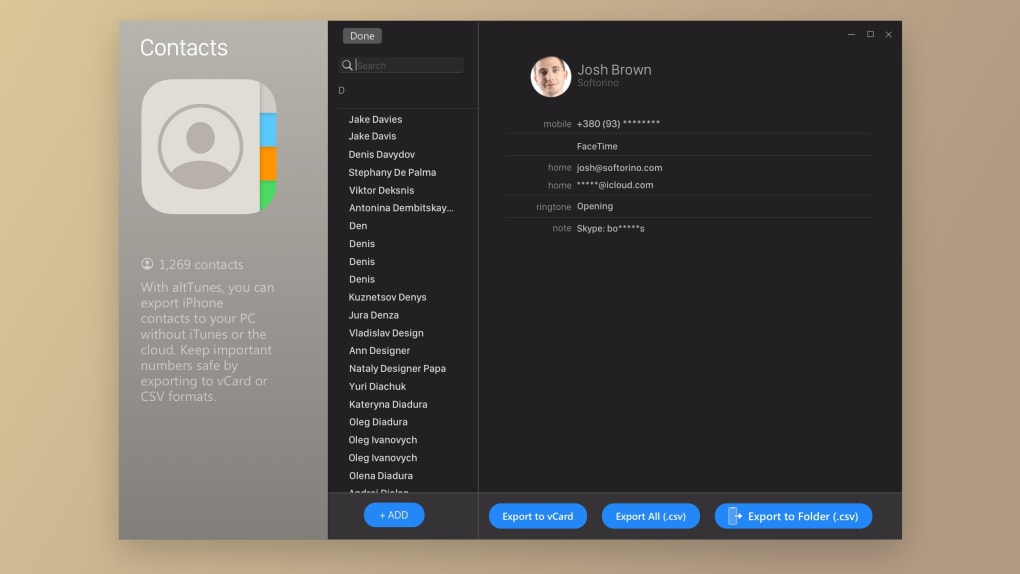
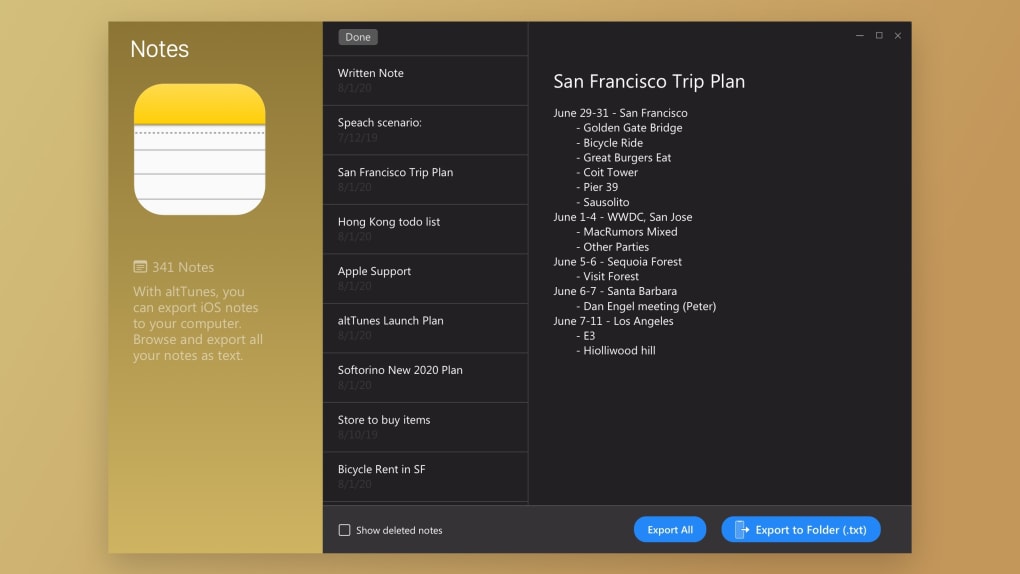
Transferring files is equally seamless. Whether you want to move music playlists, export high-resolution videos, or save your favorite ringtones, AltTunes handles it all with speed and precision. The software supports a wide range of file types, including JPEG, HEIC, MP4, M4A, and even encrypted iMessage attachments. You can also extract and export messages—complete with timestamps, sender details, and attachments—into PDF or text format. This is perfect for archiving legal documents, personal correspondence, or sentimental conversations.
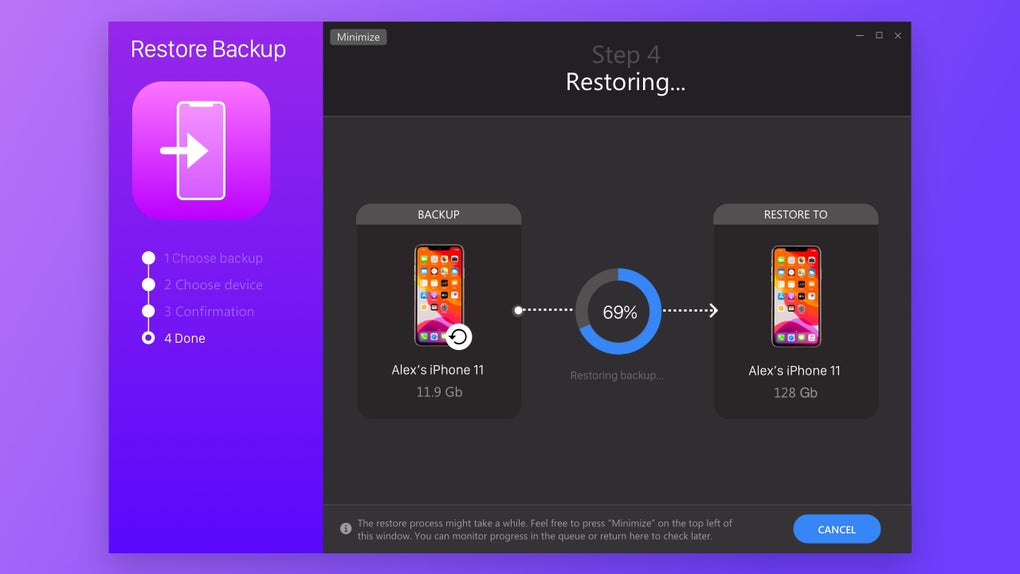
Another powerful feature is the ability to restore backups to a new device, even if the original device is lost or damaged. This is a game-changer for users upgrading to a new iPhone or recovering from a hardware failure. With AltTunes, you can restore your entire data set—including app data, settings, and media—without needing the old device. Additionally, the software includes a built-in file browser that lets you explore your device’s file system, delete unwanted files, and organize your content with ease. All these features are accessible through a simple, intuitive interface, making AltTunes a must-have for anyone serious about iOS data management.
Compatibility, Installation, and Usage Guide
AltTunes is compatible with a wide range of operating systems, making it accessible to most users. It supports Windows 10 and Windows 11, as well as macOS 10.14 and later. This ensures that whether you're using a modern PC or a MacBook, you can seamlessly connect your iPhone and manage your files. The software also works with Android and iOS devices for certain features, though the full functionality is optimized for Windows and Mac users.
Installing AltTunes is straightforward. First, download the installer from the official Softorino website. Once downloaded, run the file and follow the on-screen instructions.
After installation, launch the app and connect your iPhone via USB. AltTunes will automatically detect your device and display its contents. You can then select the files you want to back up or transfer.
For the first-time setup, it’s recommended to enable the optional encryption feature if you’re storing sensitive data.
Using AltTunes is intuitive. Simply navigate through the device’s folders—Photos, Videos, Music, Messages, Contacts, and more—and drag files to your computer. You can also create custom backup profiles, schedule automatic backups, and manage multiple devices from one interface. The software runs in the background and updates automatically, ensuring you always have the latest version with improved performance and security patches. For users who need help, the app includes a built-in help center and 24/7 customer support through the Universal License.
Key Features of AltTunes (itemprop="featureList")
- Local, encrypted backups for complete data privacy
- One-click transfer of photos, videos, music, and ringtones
- Export and archive iMessages with attachments
- Restore backups to new devices without the original hardware
- Support for multiple iOS devices on a single computer
- Automatic updates and background operation
- Intuitive drag-and-drop interface for all users
- Optional password protection for backup files
Pros and Cons of AltTunes
Pros
- Fast and reliable file transfer without internet dependency
- Complete control over local backups and data privacy
- Supports multiple iOS devices and comprehensive file types
- Advanced messaging export and archiving capabilities
- Intuitive interface suitable for beginners and experts
- 24/7 customer support with Universal License
Cons
- Full version requires a paid Universal License (no perpetual free version)
- Limited trial functionality compared to full version
- No native Android app for full control (mobile app only for basic functions)
Frequently Asked Questions (FAQ)
Conclusion: A Must-Have Tool for iOS Data Management
If you’re looking for a reliable, secure, and efficient way to back up and transfer files from your iPhone to your PC, AltTunes is an excellent choice. With its intuitive design, powerful features, and strong emphasis on privacy, it outperforms traditional tools like iTunes and iCloud. Whether you're a casual user wanting to preserve family photos or a professional managing sensitive data, AltTunes gives you the control and peace of mind you deserve.
While the full version requires a paid Universal License, the investment is justified by the comprehensive feature set, lifetime access to all Softorino apps, and 24/7 support. The ability to manage multiple devices, restore backups, and export messages makes it a versatile tool for any household or business.
Don’t wait—download AltTunes today and take full control of your iOS data. Experience faster, safer, and more private file management with a tool built for the modern user.
CTA: Download AltTunes Now – Secure iPhone to PC Transfer Tool







